
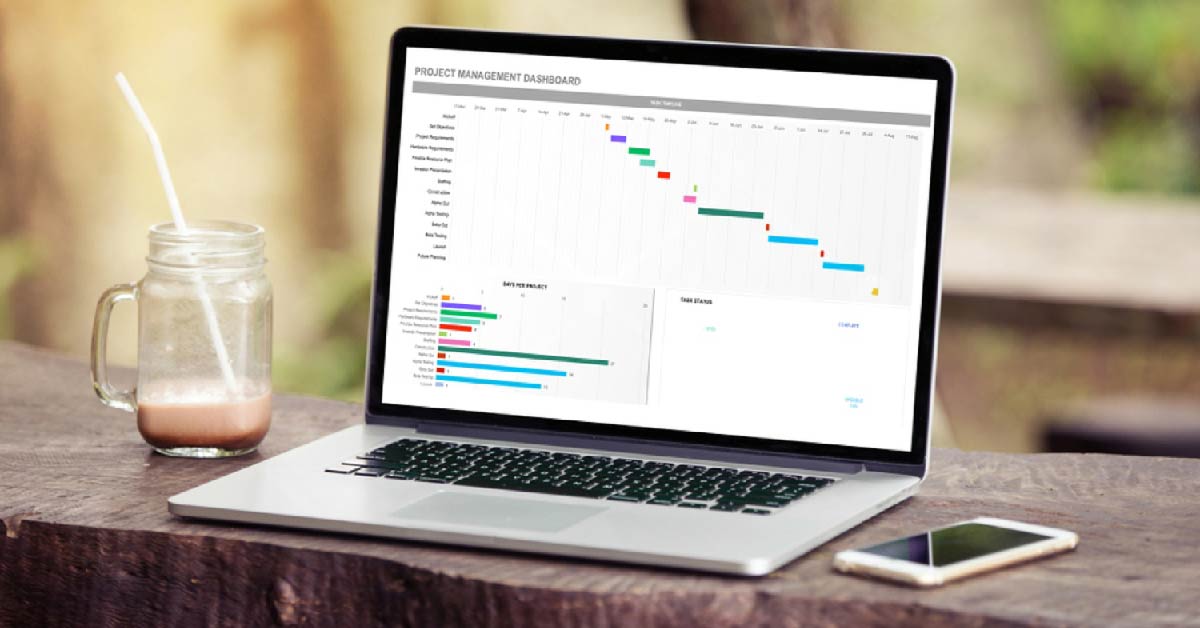
Excel for Small Business: Simple Systems That Save Time and Sanity
Running a small business shouldn’t feel like drowning in admin work. Yet many solo entrepreneurs and small business owners spend evenings sorting invoices, matching payments, or hunting through spreadsheets just to find one number. If this sounds familiar, you’re not alone – and there’s a simple solution sitting right on your computer.
Excel for Small Business isn’t just about numbers in rows and columns. It’s about creating systems that work quietly in the background, saving you hours each week and giving you the clarity you need to make better decisions. Whether you’re tracking inventory, managing client billing, or trying to understand your cash flow, this powerful tool can become your most reliable business partner – without the hefty subscription fees.
Why Excel Still Wins for Small Businesses

The Underrated Power of Excel in a Digital World
While everyone’s talking about the latest cloud-based software and AI-powered platforms, Excel for Small Business remains one of the most practical tools for daily operations. Why? Because it’s already installed, it’s familiar, and it adapts to exactly what you need – not what a software company thinks you should need.
Why “Fancy” Tools Aren’t Always the Smarter Choice
Here’s what most software companies won’t tell you: many expensive tools are built for large teams with complex workflows. For a solo founder or small business owner, they often create more work through unnecessary features, steep learning curves, and monthly fees that add up quickly.
Spreadsheet solutions offer something different:
- Flexibility – Customize every sheet to match your unique workflow
- Affordability – One-time purchase or included with Microsoft 365, no per-user fees
- Reliability – Works offline, loads instantly, and doesn’t require constant updates
- Control – Your data stays on your computer, not locked in someone else’s cloud
Key Benefits – Flexibility, Affordability, Reliability
Think of Excel for Small Business as a blank canvas. A product manufacturer can use it for inventory planning. An HR recruiter can track candidates and interview schedules. A healthcare practitioner can organize appointments and billing. The same tool, three completely different businesses – and it adapts without complaint.
How Excel for Small Business Makes Daily Work Easier
Let’s get practical. Here’s how Excel for Small Business simplifies the tasks that eat up your time:
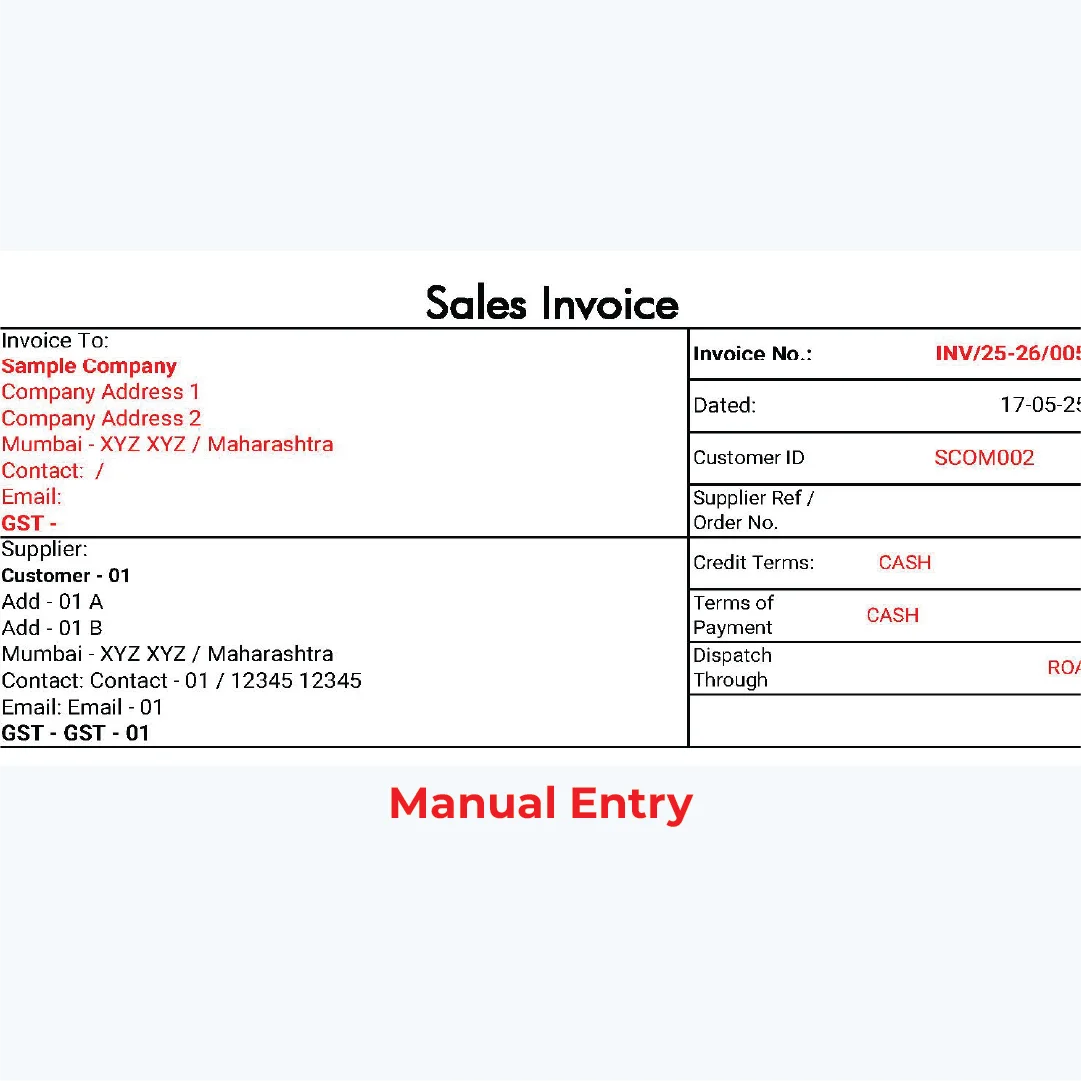
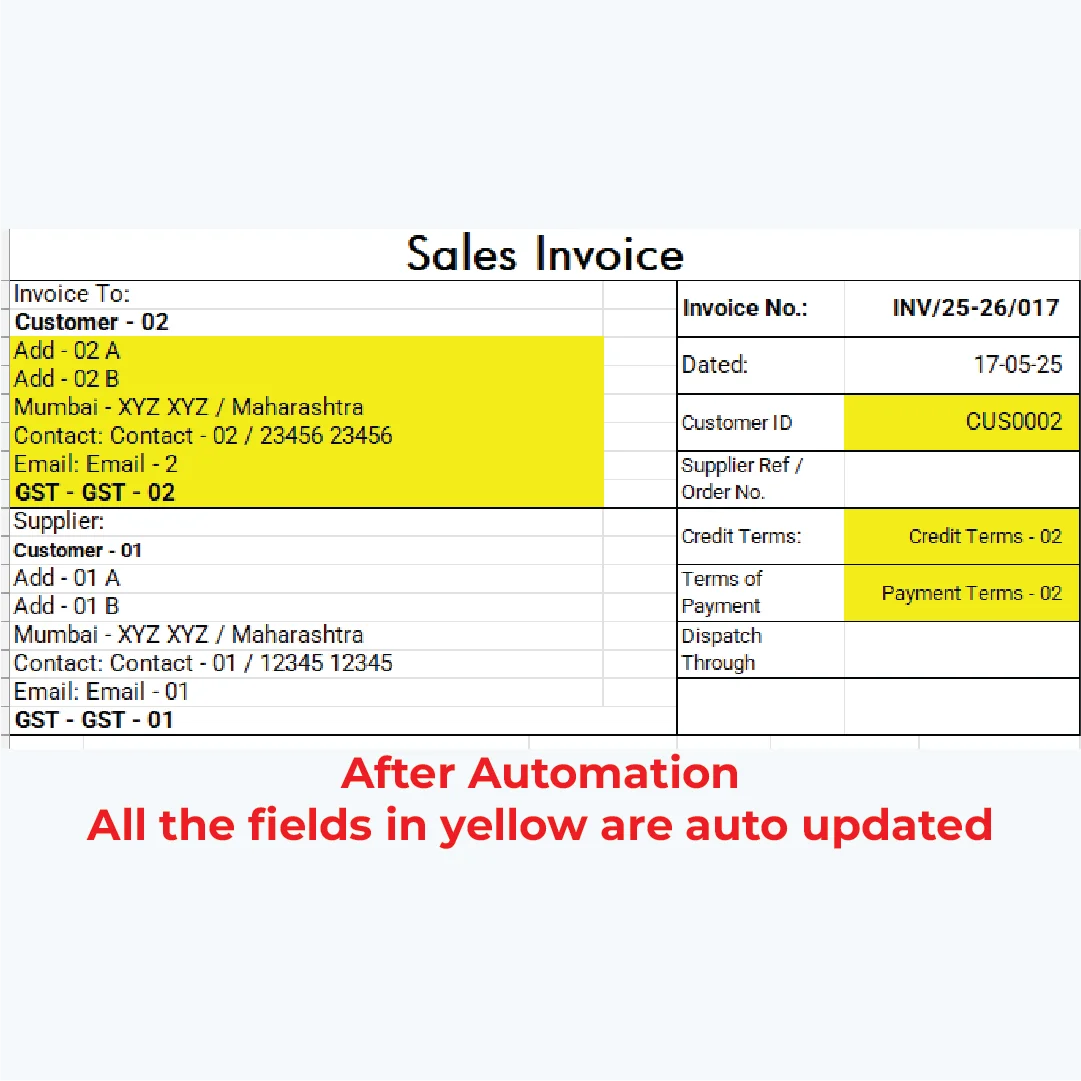
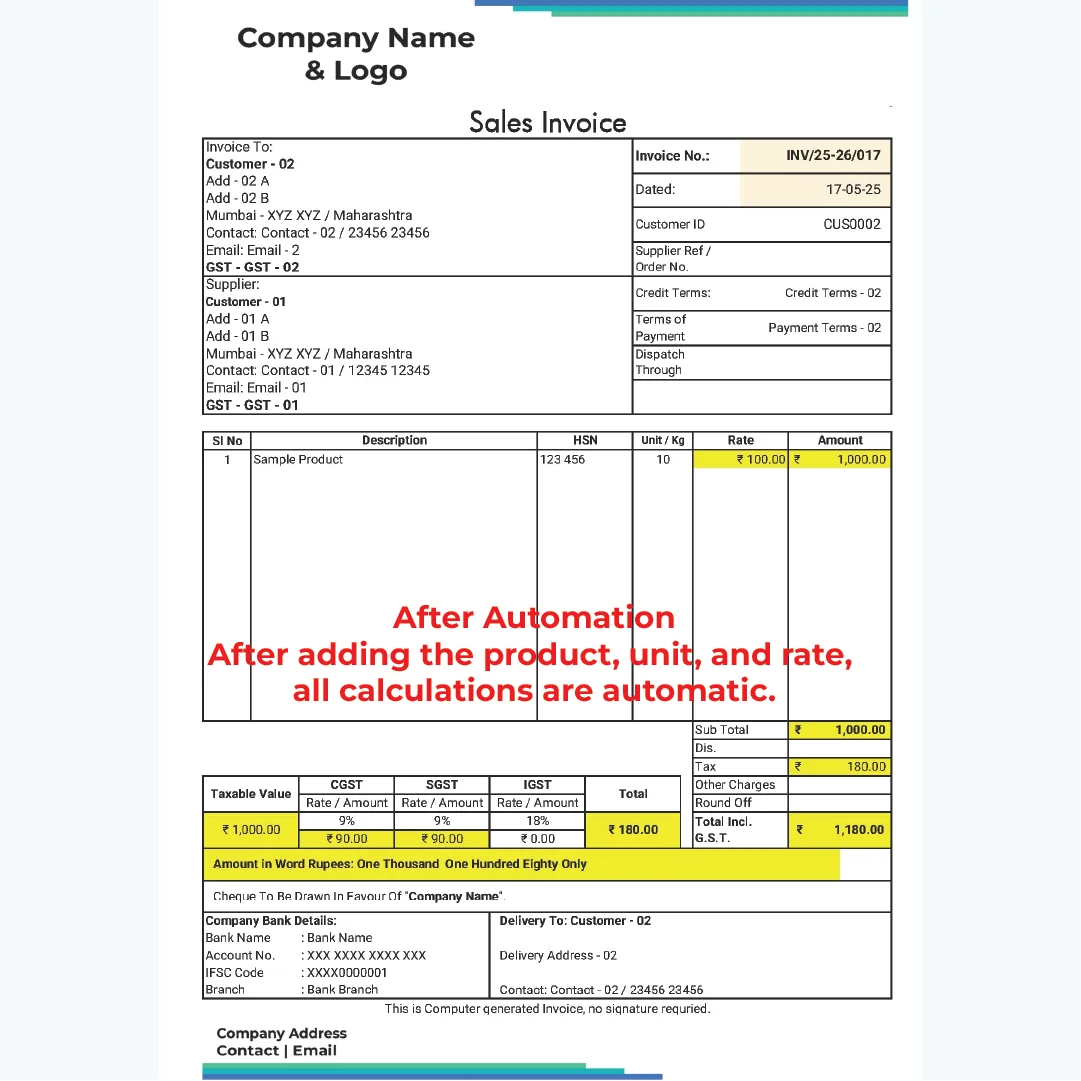
Create Invoices That Send Themselves (Almost)
Stop creating invoices from scratch every single time. With a simple template, you can:
- Auto-number each invoice sequentially
- Calculate taxes (GST, VAT) automatically based on your rates
- Generate totals that adjust when you change quantities or prices
- Save as PDF with one click for professional delivery
Try This: Create a simple invoice template with auto-total formulas. Set up cells for item name, quantity, rate, and tax. Use =SUM() for totals and watch the system do the math instantly.
Track Purchases and Payments Without Confusion
Instead of hunting through email receipts or paper bills at tax time, a well-organized spreadsheet system lets you:
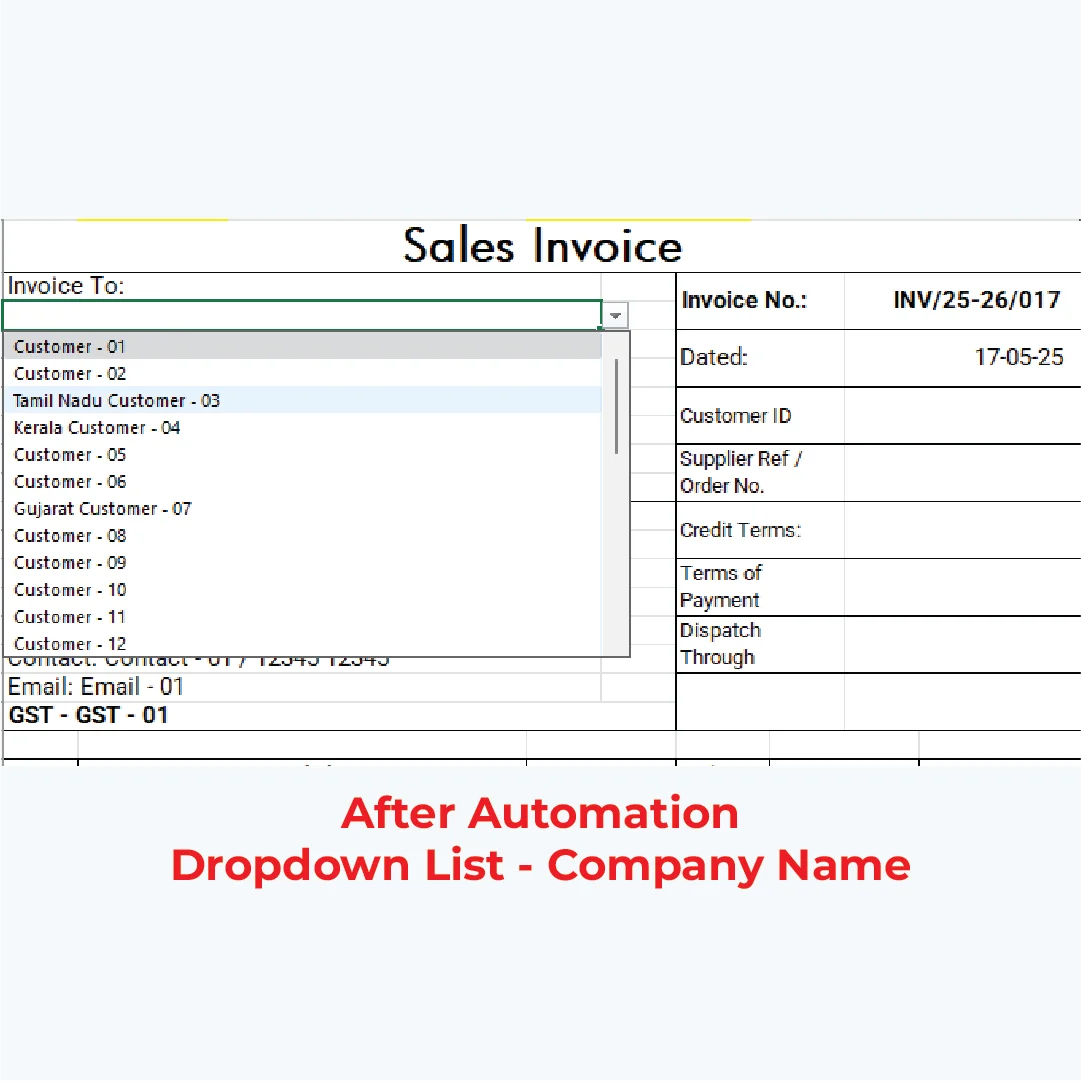
- Enter purchase details into structured forms with dropdown menus
- Tag expenses by category (supplies, rent, marketing)
- Run automatic checks to catch duplicate entries or missing information
- Filter and sort instantly to find exactly what you need
Manage Stock, Clients, and Projects from One Sheet
Whether you’re tracking product inventory, client contact information, or project deadlines, spreadsheets keep everything organized in one place. Use tabs for different areas, link data between sheets, and create views that show only what matters right now.
Top 5 Tasks Excel Can Automate for Small Businesses:
- Invoicing – Auto-calculate totals, taxes, and balances due
- Expense Tracking – Categorize and sum spending automatically
- Payment Matching – Cross-reference payments to invoices or bills
- Stock Tracking – Alert when inventory drops below reorder levels
- Dashboards – Visualize key metrics without manual calculations
Real-World Success Stories from Small Business Owners
How a Product-Based Brand Used Excel to Stop Losing Track of Orders
A small hygiene product manufacturer was constantly running out of raw materials because reordering was based on guesswork. After setting up Excel for Small Business to track inventory levels, production schedules, and sales patterns, they could see exactly when to reorder – and stopped losing sales due to stockouts.
Pro Tip: Use conditional formatting to highlight inventory items in red when they fall below minimum levels. Visual alerts save time and prevent expensive mistakes.
How a Consultant Simplified Client Billing
An independent consultant was spending hours each month creating invoices and tracking which clients had paid. By building a simple invoice tracker with payment matching, they cut billing time by 70% – and could instantly see outstanding amounts without digging through bank statements.
How a Healthcare Professional Organized Appointments Efficiently
A clinical practitioner needed to track patient appointments, follow-up schedules, and billing – but didn’t want to pay for complex medical software. Excel for Small Business provided appointment calendars, progress note templates, and simple billing sheets that kept everything organized without the complexity.
Pro Tip: Create dropdown lists for recurring categories (appointment types, payment methods, client names) to speed up data entry and reduce typos.
Turn Your Excel Sheets into Dashboards That Show the Big Picture
What Dashboards Can Reveal Instantly (Cash Flow, Inventory, Unpaid Invoices)
Imagine opening one screen each morning and seeing:
- Cash flow summary – How much came in and went out this month
- Unpaid invoices – Which clients owe you money and for how long
- Inventory status – What’s running low and needs reordering
- Upcoming bills – What payments are due this week
That’s the power of an Excel dashboard for small business. Instead of clicking through multiple sheets and adding numbers manually, you get instant clarity.
Simple Ways to Visualize Your Numbers (Charts, KPIs, Traffic Lights)
Spreadsheet visualization is surprisingly easy:
- Charts – Turn rows of numbers into line graphs or bar charts
- KPIs – Display single important numbers (monthly revenue, profit margin) in large, bold format
- Traffic Lights – Use conditional formatting to show green (good), yellow (warning), or red (urgent) status indicators
Why Dashboards Help You Make Better, Faster Decisions
When you can see your business health at a glance, you make smarter decisions. Should you invest in more inventory? Is it time to follow up with late-paying clients? Do you have room in the budget for marketing support? Dashboards answer these questions instantly, without digging through data.
How Excel Frees Time for Real Growth
The Connection Between Automation and Business Focus
Every hour you save on admin is an hour you can spend on growth activities. When Excel for Small Business handles invoicing, payment tracking, and reporting automatically, you create space for what truly matters: serving clients, developing products, and building your brand.
How to Pair Excel with Virtual or Marketing Support
Spreadsheet systems become even more powerful when combined with smart integrated business systems that simplify your workflow. For example:
- Use tracking tools to manage your numbers while marketing support strategies that help small businesses grow faster handle your promotional campaigns
- Let automation manage your operations while virtual support handles client communication and scheduling
When to Move from Manual to Semi-Automated Systems
Start simple. Pick one area where you’re spending too much time – maybe invoicing or expense tracking – and set up a basic system. Test it for two weeks and track your time saved. As you see results, gradually add more automation through formulas, templates, and dashboards.
Ready to Simplify Your Business? Start with One Excel Sheet
Pick One Area (Invoicing, Tracking, or Dashboarding)
Don’t try to overhaul everything at once. Choose the single area causing you the most stress:
- Invoicing if billing takes forever
- Expense tracking if you’re always hunting for receipts
- Dashboarding if you can never find the numbers you need
Test It for a Week and Note Your Time Saved
Commit to using your Excel for Small Business system consistently for one week. Keep a quick log of time saved. Most small business owners find they save 3-5 hours per week with just one well-designed spreadsheet system.
Add Support When Ready (Virtual or Integrated Business Help)
As your business grows, you don’t have to manage everything alone. Professional support can help optimize your systems, create custom templates, or handle the tasks that drain your energy – so you can focus on the work only you can do.
You Don’t Have to Do This Alone
If you’re a solo entrepreneur or small business owner, remember this: small steps create big changes. Even one simple spreadsheet system – an invoice tracker, an expense sheet, a basic dashboard – can free up hours each week. Those hours add up to days, then weeks of reclaimed time you can invest in growth, creativity, or simply breathing easier.
Think of Excel as your quiet partner. It won’t complain, it won’t take vacation days, and it’s always ready to bring order to daily chaos. And if you’d like guidance setting up systems that actually work for your business, I’m here to help. Sometimes the smartest step is asking for support before overwhelm takes over.
Need help setting up your system? Let’s make it work for you – reach out below and we’ll simplify your workflow together.
Written by Muhammed
Muhammed is a graphic designer and virtual support professional with hands-on experience helping small businesses grow through smart marketing and design. He shares practical strategies that save time, build trust, and See how he helps entrepreneurs succeed without overwhelm.