

Excel for Business: The Smarter Alternative to Costly Software
If you’re a solo entrepreneur or small business owner feeling pressured to subscribe to expensive software platforms, here’s your permission to pause. Excel for business might not carry the flashy branding of all-in-one tools, but it delivers exactly what you need – clarity, control, and cost savings. The truth? You don’t need a $200 monthly subscription to run a professional operation. With the right approach, Excel can handle your finances, client tracking, inventory management, and project planning without draining your budget or overwhelming your schedule.
Why Costly Software Isn’t Always the Smarter Choice
There’s a myth floating around that “real businesses” need premium software subscriptions. But here’s what nobody tells you: those platforms are often bloated with features you’ll never touch. As a small business owner, every dollar counts. That $60 to $200 monthly expense isn’t just overhead – it’s money that could go toward:
- Marketing efforts that actually bring in clients
- Better packaging or branding that makes your products stand out
- Hiring freelance support for a few hours each month to lighten your load
The false “professional” image tied to paid tools can make you feel inadequate when you’re using simpler solutions. But sophistication isn’t about complex dashboards – it’s about systems that work for your business reality. When you’re juggling sales, admin, and growth strategies solo, flexibility matters more than feature lists. Excel gives you that freedom without locking you into rigid workflows or long-term contracts.
Many solo entrepreneurs lose precious time learning complicated software interfaces when they could be focusing on client relationships and revenue generation. Excel for business operations keeps you agile and in control.
Excel for Business: Your Affordable Powerhouse
What Makes Excel So Effective for Small Businesses
Excel’s greatest strength lies in its simplicity and adaptability. Unlike specialized platforms designed for corporate teams, Excel molds itself around the way you work. Whether you’re running a local bakery, freelancing as a graphic designer, or launching an online coaching business, you can customize your workflows without waiting for software updates or feature requests.
Here’s what makes it special:
- Works online and offline – perfect when you’re meeting clients or working remotely
- No learning curve barriers – if you can type and click, you can start organizing immediately
- Scales with your growth – begin with basic tracking, add automation as you expand
- One-time cost or free options – unlike subscription models that charge you monthly regardless of usage
Everyday Tasks Excel Can Handle Easily
The versatility of excel business templates covers nearly every administrative need:
- Financial tracking: Monitor cash flow, categorize expenses, and forecast monthly budgets without accounting software fees
- Client management: Create simple CRM spreadsheets that log contact details, project status, and follow-up reminders
- Inventory control: Track stock levels, supplier orders, and product movements with automatic alerts for low quantities
- Project planning: Break larger goals into milestones with conditional formatting that highlights upcoming deadlines
- Marketing data: Record campaign results, lead sources, and conversion rates to understand what’s working
- Invoice generation: Build professional billing templates that auto-calculate totals, taxes, and payment terms
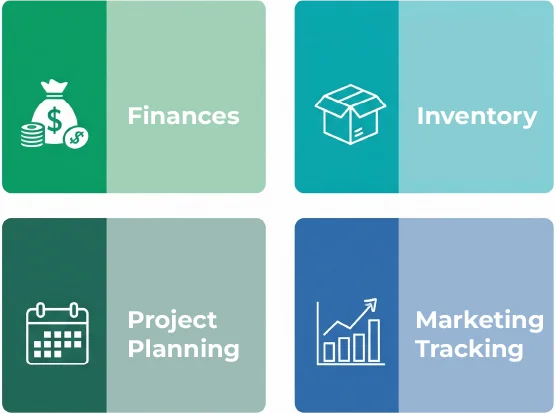
Many of these workflows are available as free downloadable templates – meaning you can start organizing your business within minutes, not weeks.
Real Story – How One Founder Cut Costs and Gained Control

Vikram, who recently launched a packaging supply business serving local retailers and food vendors in Pune. In the beginning, he tracked everything manually – orders scribbled in notebooks, stock counts on loose papers, payment statuses in his head. As his client list grew from five shops to twenty, the chaos became unbearable. He was making costly mistakes: double-booking orders, forgetting to follow up on unpaid invoices, and running out of popular items.
Instead of investing in expensive inventory software he wasn’t sure he could afford, Vikram turned to Excel for business management. He built three simple spreadsheets:
- Order tracker with client names, order details, and delivery dates
- Inventory sheet that updated automatically when items were sold
- Payment log with status flags for pending, partial, and completed payments
This shift saved Vikram four to five hours every week – time he redirected toward visiting potential clients and strengthening relationships with existing shops. The clear records also gave him confidence during negotiations, as he could quickly pull up order histories and payment patterns. Within three months, his client base doubled, and he avoided several inventory shortages that would have damaged his reputation.
The takeaway? Start small, stay consistent, and grow smarter. You don’t need enterprise solutions when Excel can give you the visibility and control you need right now.
Excel vs. Expensive Software: The Real Cost Comparison
What You Can Replace with Excel
Let’s break down the real alternatives:
| Software Category | Monthly Cost | Excel Alternative | Setup Time |
|---|---|---|---|
| Accounting Tools | $30-60 | Budget & cash flow templates | 15-30 minutes |
| Project Management | $50-100 | Task trackers with Gantt charts | 20 minutes |
| CRM Platforms | $40-150 | Lead tracking spreadsheets | 10-20 minutes |
| Time Tracking Apps | $20-40 | Billable hours logbook | 5 minutes |
| Inventory Systems | $60-200 | Stock management templates | 30 minutes |
Free template resources are widely available online, including Microsoft’s official Excel business guide, which offers dozens of ready-to-use sheets for different industries.
When to Move Beyond Excel
Excel isn’t meant to replace everything forever. As your business scales, you might need specialized tools when:
- You’re managing 10+ team members who need simultaneous access
- Complex integrations between multiple platforms become critical (e.g., connecting your store to shipping APIs)
- Automated workflows require actions Excel can’t handle (like auto-sending emails based on triggers)
But here’s the reassurance: Excel creates a solid foundation that makes transitioning to specialized software much easier. You’ll understand your processes deeply, know exactly what features you need, and avoid paying for unnecessary complexity.
Bring in Automation – Making Excel Work for You
Small Steps to Start Automating
Excel for business isn’t just about filling cells – it’s about making your data work harder for you. Once you’re comfortable with basic tracking, you can explore:
- Formulas: Auto-calculate totals, percentages, and profit margins
- Conditional formatting: Highlight overdue invoices or low-stock items in red
- Pivot tables: Summarize large datasets to spot trends and patterns
- Basic VBA scripts: Create buttons that generate reports with one click
These features transform manual spreadsheets into dynamic business tools that save hours of repetitive work.
Examples of Easy Automations
Start with these practical applications:
- Auto-calculating taxes and expenses: Set formulas that apply tax rates to invoice line items automatically
- Overdue payment flags: Use conditional formatting to turn cells red when payment due dates pass
- Weekly report generation: Build a summary sheet that pulls data from daily logs – update once, refresh everywhere
- Stock reorder alerts: Create rules that notify you when inventory drops below minimum thresholds
These automations don’t require programming expertise. With a few hours of learning (or following YouTube tutorials), you can implement systems that make your business run smoother.
Want to dive deeper into when to use formulas versus full automation? Check out our next post exploring the smart time-saving difference between the two approaches.
My Take: Why I Still Use Excel for Marketing Projects
Even as a marketing professional with access to enterprise-level platforms, I rely on Excel for business operations daily. Why? Because it cuts through the noise. When you’re managing campaign budgets, tracking lead sources, or planning content calendars, clarity beats complexity every time.
For solo entrepreneurs juggling multiple roles, the last thing you need is another tool with a steep learning curve. Excel keeps you focused on action, not figuring out dashboards. I use it to:
- Track which marketing channels bring the best return
- Plan quarterly campaigns with budget breakdowns
- Monitor project timelines and deliverable deadlines
- Calculate ROI for different promotional strategies
The beauty is in the control – you see everything at a glance, make quick adjustments, and maintain systems that actually reflect how your business operates. When your admin side feels lighter and more organized, you’re free to focus energy on building trust with clients and growing through marketing support that scales your business.
Ready to Simplify? Your Smart Next Step
You don’t need expensive software to look and operate like a professional. Excel for business solutions offer everything you need to stay organized, make informed decisions, and grow sustainably:
- Affordable – no recurring drain on your limited budget
- Flexible – adapts to your unique workflow, not vice versa
- Scalable – starts simple today, grows with automation tomorrow
If you’ve been stressing about keeping up with costly platforms while trying to grow your client base, start with Excel. Small, simple systems often create the strongest foundations. Download a few free templates, customize them for your needs, and watch how quickly clarity replaces chaos.
And remember – you don’t have to manage everything alone. Whether you’re exploring more practical Excel use cases for small business owners or considering how design and marketing support could accelerate your growth, small steps forward free up your energy for what you do best: serving your clients and building a business you’re proud of.
Conclusion & Call to Action
Running a small business is challenging enough without expensive software subscriptions adding to your stress. Excel for business gives you the power to stay organized, make smart decisions, and grow confidently – all while keeping more money in your pocket for the things that truly matter, like marketing and client relationships.
You’ve got this. Start small, stay consistent, and trust that simple systems can deliver professional results. When you’re ready to take the next step – whether that’s exploring automation, improving your marketing presence, or getting design support – remember that every successful business began with someone willing to build smartly, not expensively.
What will you organize in Excel first? Your finances, your clients, or your next big project? Whatever you choose, you’re already on the path to smarter growth.
Written by Muhammed
Muhammed is a graphic designer and virtual support professional with hands-on experience helping small businesses grow through smart marketing and design. He shares practical strategies that save time, build trust, and See how he helps entrepreneurs succeed without overwhelm.